Betr: Clip The Season
Created by Betr · Launched 22 Sept 2026
Delivered in full
Verified views
3.8M
Posts
58
Clippers
2
Ran for
5 days
Views were read from Reels · TikTok · Shorts · Facebook · X on a schedule and paid at the campaign's rate until the pool was spent.
What to post
1 fileDownload the animation, key the green out and lay it over a football clip of your own, college or NFL, so it runs in full with the code readable, post the clip to your own page, then paste the link below.
Do this to every clip before you post it
- 1Find your football clipCollege or NFL, a play, a call, a fan moment. Keep it short, never a full broadcast.
- 2Key the green out of Betr's animationIn CapCut: Overlay, Cutout, Chroma key, pick the green, raise intensity until the edges are clean.
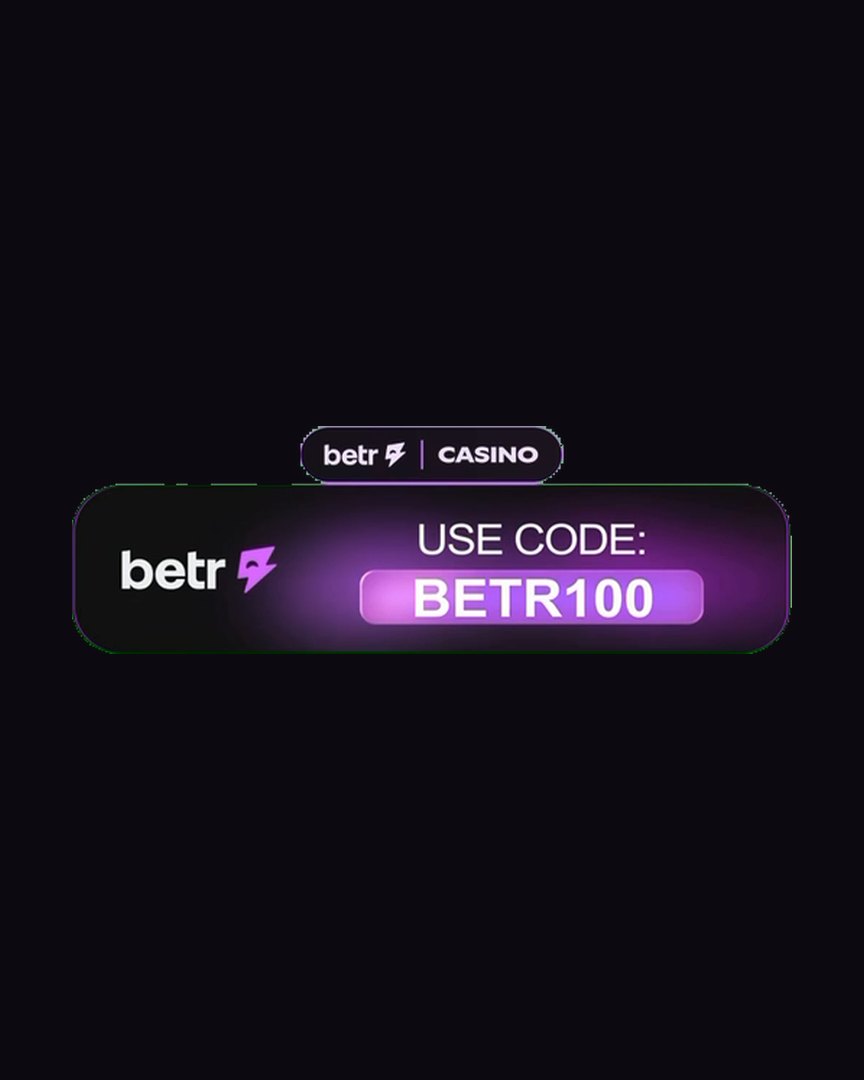
- 3Let it run in full and postIt ends on USE CODE: BETR100, which has to stay readable and uncovered. Then paste the link on the campaign.
Download saves the file to your phone: Files on an iPhone, Downloads on Android. Open it from there to edit or post.
Your caption
Tap a caption to copy itStarting points: the moment first, Betr second. Make them yours, name the actual teams and the actual play, and add nothing about odds that is not on Betr. @betr is the brand's Instagram if you tag it.
Game first
Short
Before you post
Every post is checked against these- 1American football only, college or NFL: a play, a call, a fan moment, a rivalry. Nothing from other sports, and short clips only, never a full broadcast
- 2Overlay the Betr animation: key out the green, run it in full, keep USE CODE: BETR100 readable and uncovered
- 3Write the caption yourself: the game or moment first, then Betr's odds or the code; no AI-generated captions, no long dashes
- 4Post must stay public while the campaign is live
- 5No bought views or engagement pods
- 6No story boosting
- 7Collabs are allowed, as long as every page on the collab is added to your Promotions.Market account first
- 8Post an organic post between this campaign's clips and any other campaign or ad on your page
- 9Do not hide the like count on the post
The brief
Putting the animation on a clip
The animation is a green-screen overlay, 19.8 seconds long. Three steps in CapCut or the Instagram editor.
1. Add it as an overlayImport the animation on a layer above your clip.
Import the animation on a layer above your clip. In CapCut: Overlay, then Add overlay. Scale it to sit clear of the action, usually the top third or the bottom third of the frame.
2. Key out the greenSelect the overlay, then Cutout, then Chroma key, and pick the green.
Select the overlay, then Cutout, then Chroma key, and pick the green. Raise intensity until the green is gone and the badge edges are clean.
3. Let it run in fullDo not cut the animation short: it ends on USE CODE: BETR100, which is the part the client is paying for.
Do not cut the animation short: it ends on USE CODE: BETR100, which is the part the client is paying for. If your clip is shorter than 20 seconds, start the animation at the top so the code shows before the clip ends.
About Betr
For the caption, if you want it. Only what the client's animation says.
The offer in the animationbetr | CASINO, then loss insurance, then USE CODE: BETR100.
betr | CASINO, then loss insurance, then USE CODE: BETR100. That is the whole message; do not add claims of your own.
The brand's Instagram@betr, if you tag the brand.
@betr, if you tag the brand. The client has not asked for a tag on this campaign, so it is your call.
Brand rules
American football only: the clip must be football, college or NFL, nothing from other sports. Short clips, never full broadcasts. Overlay the Betr animation: key out the green screen, run it in full, keep USE CODE: BETR100 readable and uncovered. Write the caption yourself: the game or moment first, then Betr's odds or the code; no AI-generated captions, nothing unrelated to the clip, no long dashes. Post on your own page, keep it public while the campaign runs, and submit the post link here. No story boosting. Collabs are allowed, as long as every page on the collab is added to your Promotions.Market account first. Post an organic post between this campaign's clips and any other campaign or ad on your page. Do not hide the like count: likes are read beside every view.
Accepted platforms
- Instagram Reels
- TikTok
- YouTube Shorts
- X
Submission rules
- Open to every page: any niche, any country, any size
- American football only, college or NFL: a play, a call, a fan moment, a rivalry. Nothing from other sports, and short clips only, never a full broadcast
- Overlay the Betr animation: key out the green, run it in full, keep USE CODE: BETR100 readable and uncovered
- Write the caption yourself: the game or moment first, then Betr's odds or the code; no AI-generated captions, no long dashes
- Post must stay public while the campaign is live
- No bought views or engagement pods
- No story boosting
- Collabs are allowed, as long as every page on the collab is added to your Promotions.Market account first
- Post an organic post between this campaign's clips and any other campaign or ad on your page
- Do not hide the like count on the post
- Brand every post as your own page: your logo, username and display name on the video, cropped to vertical if that is what it takes. Clip Studio adds your kit for you. A bare re-upload is what an impersonator can claim as theirs.
- Post from your own account and keep the post public until the pool settles.
- Verified views pay a fixed rate per 1,000 until the budget is spent.
- No bought views, no bots, no engagement pods. Flagged posts do not settle.
- Settled earnings unlock after a 7 day hold.
- The brand reviews every submission against this brief before tracking starts.
Names show for verified page owners
Total views
3.8M
Settled posts
58
Creators paid
2
Daily verified views
This pool has settled.
Check the board for campaigns accepting posts right now, each with its budget and rate printed on the card.